
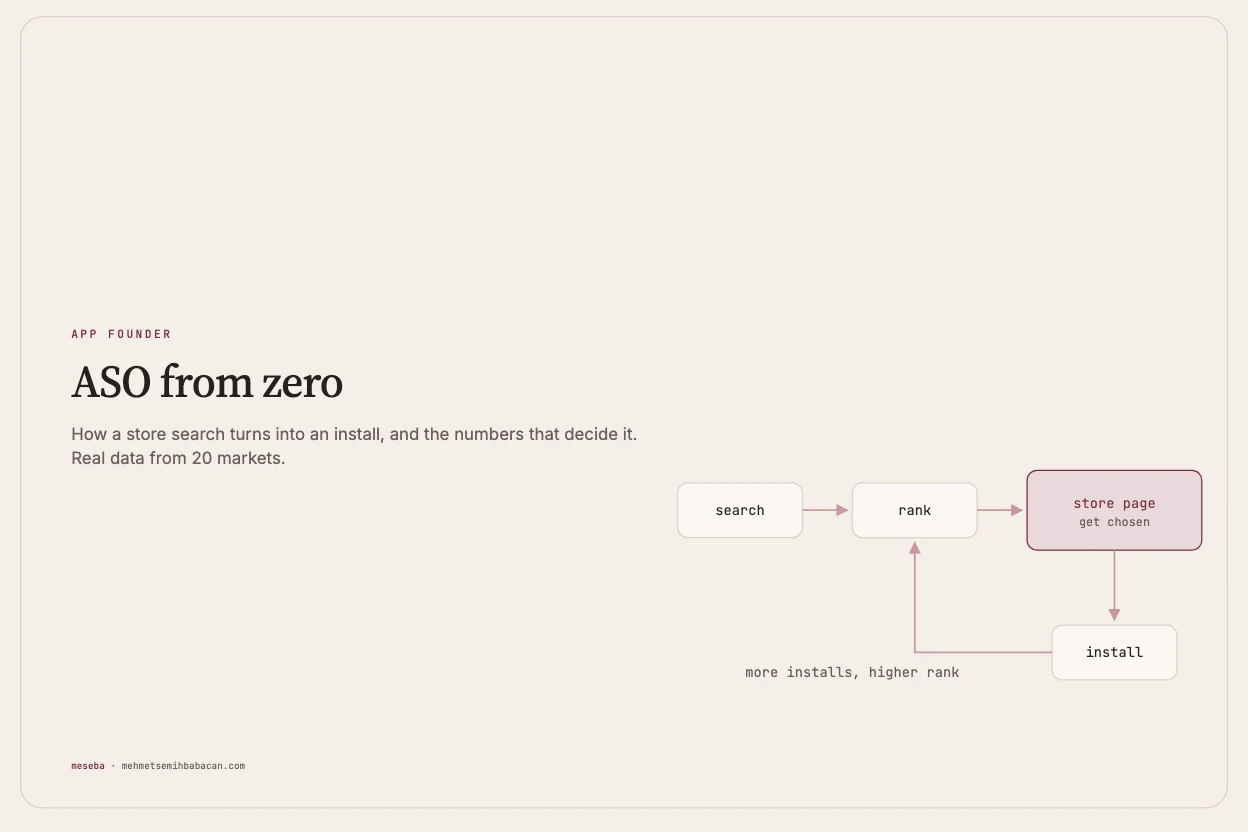
Built on a real 20-market pass for one of my apps, a consumer subscription app, done between 26 and 29 September 2026. Every number below comes from that work or from a live Sonar pull on 29 September. The category and the exact search phrases are left out on purpose; the numbers next to them are real. The keyword data comes from Sonar.
Most people who download an app find it by searching the store. They type two or three words, look at the first few results, tap one, look at its page, and install it or leave. ASO, app store optimization, is everything you do so that more of those searches end with your app: being in the results at all, being near the top, and being the one people pick.
It sounds like a copywriting job. It's closer to a measurement job. You pick words based on data, you change one thing, you wait, and you look again. This article is the whole loop, with my app's real numbers as the examples: what a keyword is worth, where the words go on each store, what makes people tap, the findings from twenty countries, and the twenty-minute weekly routine that keeps it going.
Where the app started. On the US App Store, the category's main two-word phrase (the thing everyone types when looking for an app like mine) has a popularity of 59 and a difficulty of 79, and my app didn't rank for it. Across all twenty markets, the app wasn't in its category's top-100 or top-200 chart, on either store. It ranked for its own name and a handful of small terms. That's a normal starting point for a new app, and it's where this article starts too.
Lesson 1: how a store search works
How a store search turns into an install
A search goes through five steps:
The ranking in step 2 comes from three things:
| Signal | What it means | How you move it |
|---|---|---|
| Text match | Do the words in your name, subtitle and keywords match the search? | The fields in Lesson 3 |
| Quality | Your rating and how many ratings you have | A good app, and asking happy users at the right moment |
| Behaviour | How often people install after seeing you in the results | Conversion, Lesson 4 |
This is a simplification: neither store publishes its formula. But the short version holds up well in practice: text gets you considered, behaviour keeps you there. Matching words make you eligible for a search. If people then see you and skip you, you tend to slide down.
Keywords are doors. Each search term is a door into your app. The big doors, like a category's main phrase, are crowded with apps that have hundreds of thousands of ratings. A small app wins by owning many small doors, not by fighting at the biggest one.
In practice. My app owned its own name door: the live Sonar pull shows its name at rank 14 in France, 15 in the Netherlands and 17 in Poland on iOS. An earlier US reading had it at rank 38 for its own name. Discovery doors, the ones people use when they don't know you yet, were almost all still closed. A week of work changed that: as of 29 September Sonar tracks 205 keywords for the app on iOS, 37 of them ranked (33 more than a week earlier), 9 in the top 10, and one at rank 1, a local-language couples phrase in Indonesia.
Lesson 2: reading a keyword
Every keyword has three numbers worth knowing:
| Measure | What it tells you | Where it comes from |
|---|---|---|
| Popularity | How many people search it, on a 5 to 100 scale | Sonar (from the stores' own data) |
| Difficulty | How strong the apps already ranking for it are | Sonar |
| Relevance | Would someone searching this want your app? | You. Only you can judge this |
Popularity 5 is the floor. In Sonar, 5 is the lowest score it reports. Treat it as "no measurable searches": maybe a few people type it, but not enough to be worth a slot. A lot of phrases that sound like good searches sit at exactly 5.
The rule for a small app: relevance 100, popularity 30 or more, difficulty 50 or less. Sonar also marks some terms as beatable when the apps on top are weak enough for a small app to pass them.
Reading a keyword: popularity vs difficulty
The 2×2 above is how to sort what you find:
| Low difficulty | High difficulty | |
|---|---|---|
| High popularity | Take now. Poland Android: "para" (couple), popularity 36, difficulty 32, beatable | Long term. US iOS: the category's main phrase, popularity 59, difficulty 79. Keep it in the name, don't expect to rank soon |
| Low popularity | Stack many. Sweden Android: "tillsammans" (together), popularity 28, difficulty 20, beatable | Skip. France Android: "partenaire" (partner), popularity 5, the floor |
A live example. This is what Sonar returned for four US App Store terms in my category on 29 September:
| Keyword (US, iOS) | Popularity | Difficulty |
|---|---|---|
| Main phrase, "tracker" wording | 67 | 79 |
| Main phrase, "counter" wording | 59 | 79 |
| A feature phrase | 52 | 79 |
| A "diary" phrase | 5 | 55, beatable |
Notice the first two rows: the same idea, two wordings, and the less obvious one has more searches. The first three are all long-term doors: real searches, owned by giants. The top three US apps in the category have about 2.37 million, 872,000 and 779,000 ratings. The last phrase is beatable but sits at the floor, so it brings almost nobody. For the US, the honest conclusion was: no candidate beat the broad phrases already in the listing (the "head terms"), every field was already full, so change nothing and grow the doors in other countries.
Lesson 3: the fields, and where the words go
Where the words go: App Store vs Google Play
The two stores read different fields, and weigh them differently.
App Store (iOS)
| Field | Limit | How it's used |
|---|---|---|
| Name | 30 characters | The strongest signal. Your most important term goes here |
| Subtitle | 30 | Second strongest |
| Keywords field | 100 | Hidden from users. Words separated by commas, no spaces needed, no repeats. Words combine with the name and subtitle, so "habit" in the name plus "tracker" in keywords can match "habit tracker" |
| Description | 4,000 | Not used for search. Write it for people |
On iOS, the name, subtitle, keywords and description of a published app only change when you ship a new app version, so every iOS keyword change is a small release. (Promotional text, a 170-character line above the description, can change any time, but it isn't used for search.)
Google Play (Android)
| Field | Limit | How it's used |
|---|---|---|
| Title | 30 characters | The strongest signal |
| Short description | 80 | Visible and searched. Changes go live without an app update |
| Full description | 4,000 | Searched. Use your main terms naturally, a few times each (3 to 5 is a common rule of thumb; Google gives no number). Repetitive keyword lists break its policy |
There's no keywords field on Google Play. That's why most of my Android changes went into the short description: it counts for search, visitors see it, and it changes without a new app build, going live once Google's review passes.
Don't repeat words on iOS. A word in both the subtitle and the keywords field is counted once, so the second copy wastes space you could use for a new door. The audit found this in six of twenty markets, including "paar" in Germany, "пара" in Russia, "par" in Sweden and "情侶" in Taiwan (all meaning "couple"), plus the category's own main word repeated in the Spanish, Indonesian and Hindi listings. Each fix freed room for a real keyword. In Taiwan the freed space went to a "do it from a photo" phrase that has popularity 46 on Android there.
Localization multiplies doors, but translate the meaning, not the words. Every language you support is a new set of doors. The biggest lesson of the whole project was about this, and it gets its own section below.
Lesson 4: conversion, getting chosen
Ranking gets you seen. Conversion decides whether you get tapped and installed, and that feeds back into ranking.
What people see before they tap
In App Store search results, people see five things before they tap, shown above on an example listing: the icon, the name, the subtitle, the rating with its count, and up to three screenshots. Google Play's result layout is smaller, so there the icon, title and rating do more of the work.
What to get right:
- The first screenshots decide. Show the result the app gives, not its menus. I studied the first two screenshots of the five apps closest to mine, and every one of them split the job: a claim on the first screenshot ("#1", "easy with AI") and its proof on the second (the real screen, the real output), never both in one. The most repeated hook was the app's core action shown literally, like a camera viewfinder with one line of text.
- Social proof goes early. Star ratings and press logos appear in the first one or two screenshots, never later.
- Ratings. Below about 4.3 stars, or with very few ratings, fewer people tap. My Japanese listing showed a 2.0 rating from a single review, which quietly costs taps no matter how good the keywords are.
- The icon has to read at thumbnail size.
- Test, don't guess. Apple's Product Page Optimization tests icons, screenshots and preview videos (a test icon has to ship inside the app first). Google's Store Listing Experiments test graphics and, per language, descriptions. Both split visitors between versions and report which one gets more installs. Many tests end without a clear winner, and that's a result too.
Finding your opening. My app lets two people share one subscription. None of the five leaders I studied shows a two-person screen anywhere in its first screenshots, and none offers one plan for two. So my second screenshot, "One subscription. Covers you both", is a beat nobody else in the category shows: nothing to copy, nothing to avoid, and the clearest reason to pick a small app over a big name. Look for the thing only you do, and put it in the first three screenshots.
The loop. More installs raise your rank, which gets you seen more, which brings more installs. Ratings, and later a small ad budget, are how you give the loop its first push.
What twenty markets taught me
I went through twenty markets, one at a time: Japan, Turkey, the US, Australia, Indonesia, Mexico, the UK, Germany, Brazil, Korea, France, Spain, Italy, India, Canada, Russia, the Netherlands, Poland, Sweden and Taiwan. For each one: track 8 to 10 local terms on both stores in Sonar, look at the local competitors, rewrite only what the data supported, and record before and after. These are the findings.
1. The everyday word beats the formal one
My listings used a translation of "partner" for the two-person feature. In most markets, a plainer everyday word had more searches and weaker competition on Android:
| Market | Formal word | Popularity | Everyday word | Popularity, difficulty |
|---|---|---|---|---|
| Poland | partner | 27, not beatable | para (couple) | 36, 32, beatable |
| Netherlands | partner | 28, not beatable | koppel (couple) | 39, 41, beatable |
| Sweden | partner | 31, not beatable | par (couple) | 35, 29, beatable |
| France | partenaire | 5, the floor | couple | 37 (and "en couple" 44) |
| Indonesia | "pasangan" phrase (partner) | 7 | "berdua" phrase (the two of us) | 34, 41, beatable |
| Hindi (India) | पार्टनर (partner) | 37, not beatable | साथी (companion) | 29, 30, beatable |
Nine of eighteen non-English markets needed a live Play change for this reason alone: Turkey, Russia, Indonesia, the UK, France, the Netherlands, Poland, Sweden, and the Hindi listing in India. The exceptions matter too. In Korea, Spain, Italy and Taiwan the word already in use tested best, so nothing changed. Korea's "파트너" (partner; popularity 36, difficulty 39, beatable) beat the local word for couple, which sat near the floor.
The rule: translate the meaning, then check the words people actually type. A dictionary gives you the formal word. Search data gives you the one people use.
2. Android has demand where the App Store has none
In fourteen markets (Turkey, Russia, Ukraine, Indonesia, Mexico, the UK, Germany, France, Italy, India, Canada, the Netherlands, Poland and Sweden), a couples search phrase had real, beatable demand on Android while the same phrase sat at the floor, popularity 5, on the App Store. Two examples: a "doing it as a couple" phrase in Mexico, popularity 47 on Android; a "doing it together" phrase in Germany, popularity 48 on Android. On iOS, both are at 5.
The rule: research each store separately. A term that's dead on one store can be alive on the other, and Android's short description can target it without waiting for an app release.
3. English terms work in some non-English countries
Plain English terms had real App Store demand in three non-English-first markets:
| Market | Term (iOS) | Popularity |
|---|---|---|
| Sweden | ai | 72 |
| Canada | main phrase, "tracker" wording | 63 |
| Canada | main phrase, "counter" wording | 61 |
| Sweden | main phrase, "counter" wording | 54 |
| India | main phrase, "tracker" wording | 54 |
| India | main phrase, "counter" wording | 44 |
None of them were beatable yet, but they're real doors. On iOS you can reach them through the English (UK) or English (US) localization, since a storefront also indexes some extra languages; which ones depends on the country. In every other non-English market tested, the same English terms sat at the floor.
The rule: in countries where people are fluent in English, test the English terms too, not only the local ones.
4. Local leaders set the difficulty
A term's difficulty is really a measure of who you're up against, and that changes by country. The leaders I met were mostly local apps, not the global names:
| Market | Local leader | Reviews |
|---|---|---|
| France | a local photo-first app | 198,521 |
| Poland | a Polish app | 157,007 (#2 in the whole category chart on Android) |
| Russia | a Russian app | 88,046 on Android, #1 on iOS |
| France | a second French app | 72,333 |
| Sweden | a Swedish app | 69,428 on iOS |
| India | an Indian app | 66,608 |
Global brands can be thin in a country while a local app owns it. Always look at who's actually on top in that store before deciding a term is winnable.
5. Sometimes the answer is "change nothing"
In the US and Brazil, no change was the right call. In the US every field was already at its limit (subtitle 30 of 30, keywords 99 of 100, Play short description 80 of 80) and nothing tested better than what was there. In Brazil, the one real couples term had popularity 38 but difficulty 52, not beatable. Writing "no change, data-justified" in the log is a result, not a failure.
6. A short note on paid search
Apple's search-results ads, its main ad format, only show against App Store searches, so they only work where people actually search on iOS. Given finding 2, that weakens them in markets where the search demand is Android-only. And low-price countries brought cheap installs that didn't turn into paying users. Organic ASO first, ads later, and only where the search volume exists.
How to use Sonar
Sonar is the ASO tool behind all of the numbers above. You use it by typing commands into a terminal (the text window where you run programs), and it answers with tables or JSON (a structured text format other tools can read). It tracks your app and your competitors across countries on both stores.
The setup, once. Sonar groups your iOS and Android listings under one product. You create it once, then add competitors and keywords to it.
The commands you'll use most:
| What you want | Command | Cost |
|---|---|---|
| Popularity and difficulty for some terms | sonar keywords metrics "habit tracker" "daily planner" --store ios --country us --table | 1 credit per keyword, up to 25 per call |
| Ideas from a seed word | sonar keywords suggestions <seed> | free |
| Terms you rank for but don't track yet | sonar keywords discovered <app-id> | free |
| Start tracking terms | sonar keywords track <app-id> <keywords...> | uses a write key |
| Your scoreboard: visibility, movement, opportunities | sonar apps overview <app-id> | free |
| Rank history | sonar rankings <app-id> --days 30 | free |
| Where competitors beat you | sonar competitors landscape <app-id> | free |
| Top charts | sonar charts top | free |
Budget. My plan allows 150 requests a day, reset at midnight UTC, and my rule is to never go below 15 so there's room for a check if something breaks. Some commands cost more than they look: listing all tracked keywords costs 3 requests, not 1, and two of those calls in one session once dropped the budget below the floor.
What the overview shows. My app's iOS overview on 29 September: 205 keywords tracked, 37 ranked, 9 in the top 10, a visibility score of 32, and a list of near page one opportunities, terms where the app is ranked just outside the top 10. Those are the first terms to look at: a small change might push them onto the first screen of results. Might, not will.
Clean up. When I first set up tracking, 124 iOS terms turned out to be at the floor. They were all untracked in one go, so the dashboard only shows terms worth watching. Keep Sonar's "auto-track ranked" setting on so it picks up new terms you start ranking for by itself.
Lesson 5: the weekly routine (about 20 minutes)
ASO isn't a project you finish. It's a small routine.
One-page checklist
Before you change anything
- Your app and 3 to 5 real competitors are tracked in Sonar, per country, on both stores
- 8 to 10 local terms per market are tracked
- You know your current ranks, including your own name
Choosing words
- Relevance 100: someone searching it would want your app
- Popularity 30 or more, difficulty 50 or less, ideally beatable
- Popularity 5 is the floor, no measurable searches: skip
- You checked the everyday word, not only the dictionary word
- You checked each store separately
- In English-fluent countries, you checked the English terms too
Placing words
- iOS: most important term in the name, second in the subtitle, the rest in the keywords field
- iOS: no word repeated across name, subtitle and keywords
- iOS: description written for people, not for search
- Play: main terms in the title, the short description, and a few times in the full description, naturally
- Every character limit checked
Getting chosen
- First screenshot shows the result, not a menu
- Claim on screenshot one, proof on screenshot two
- The thing only you do appears in the first three screenshots
- Icon readable at thumbnail size
- A plan to grow ratings, and a test running for screenshots or icon
Every week
- 20-minute routine done, one change per market, logged
Sources: my app's market-by-market ASO log, competitor audits and Sonar audit (26 to 29 September 2026), plus live Sonar pulls on 29 September 2026. The example listing in the search image is illustrative.